
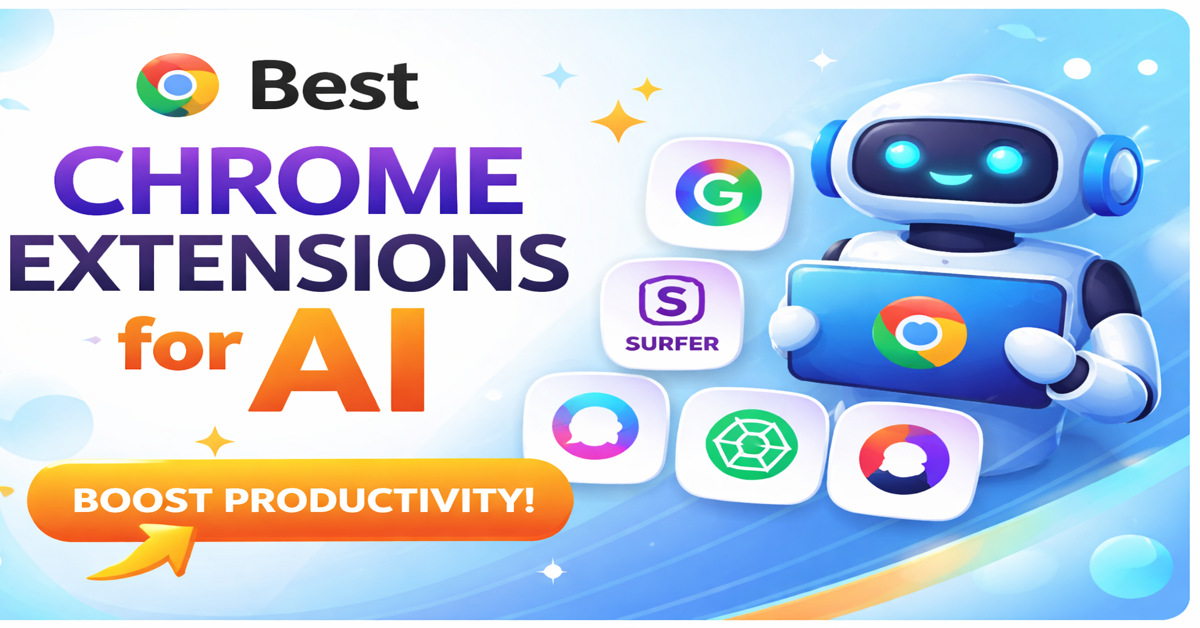
Best Chrome Extensions for AI (2026 Guide): Boost Productivity Like Never Before
AI is no longer optional—it’s a daily productivity layer. If you use Chrome regularly, the best AI tools for Chrome can automate repetitive work, improve writing quality, and speed up decision-making without adding complexity to your workflow.
This guide covers the best Chrome extensions for AI, including writing assistants, chatbot tools, and automation platforms—based on real-world usage and trusted capabilities.
Beyond simple automation, these tools act like a built-in Chrome AI assistant extension, helping you work smarter without constantly switching tabs. Whether you are drafting emails, researching topics, managing tasks, or optimizing campaigns, AI can handle repetitive work while you focus on strategy and creativity. Many professionals now rely on an AI chatbot Chrome extension or a ChatGPT Chrome extension to get instant answers, summarize content, and generate ideas in real time.
For marketers, these tools provide a strong advantage by improving content quality, keyword targeting, and campaign performance. This is why AI tools for digital marketing are becoming essential for scaling results efficiently. At the same time, students and professionals use AI tools for daily tasks to simplify research, organize notes, and stay productive throughout the day.
In this article, you’ll discover practical and reliable tools—not just trending names—so you can choose the right best AI tools for Chrome and build a smarter, faster workflow from the start.
Why Use AI Chrome Extensions?
Most people don’t need more tools.
They need smarter workflows.
That’s where the best AI tools for Chrome make a real difference. Instead of juggling multiple apps, you can handle writing, research, and automation directly inside your browser.
AI Chrome extensions help you:
- Write faster
- Summarize content instantly
- Automate repetitive tasks
- Improve marketing performance
- Reduce manual effort
In practice, these tools act like a built-in Chrome AI assistant extension. You can draft emails, generate ideas, or analyze content without leaving the page. Many professionals also rely on an AI chatbot Chrome extension or a ChatGPT Chrome extension to get real-time answers, refine content, and speed up decision-making.
For marketers, AI tools for digital marketing simplify keyword research, content optimization, and campaign planning. For students and professionals, AI tools for daily tasks help manage notes, summarize articles, and stay organized.
Think of it this way: instead of switching between 5 different tabs, you bring everything into one smart layer inside Chrome. That’s not just convenience—it’s a serious productivity upgrade.
How We Selected These Tools
We didn’t pick tools randomly or based on trends. We evaluated each option to ensure it truly deserves a place among the best AI tools for Chrome.
We focused on tools that:
- Deliver real productivity gains
If an extension doesn’t save meaningful time or effort, it doesn’t make the list. The goal is to improve how you work, not just add another feature. - Provide accurate and reliable outputs
AI can make mistakes. We prioritized tools that consistently deliver high-quality results, especially for writing, research, and automation tasks. - Integrate smoothly with daily workflows
The best Chrome AI assistant extension should work across platforms like Gmail, Google Docs, LinkedIn, and websites without friction. - Support practical use cases
We included tools that solve real problems—whether it’s content creation, automation, or AI tools for daily tasks and AI tools for digital marketing. - Follow Chrome security and privacy standards
Every AI chatbot Chrome extension or tool listed here comes from trusted providers with transparent permissions and strong user adoption.
This approach ensures you’re not just exploring popular tools—you’re using reliable, tested, and practical AI Chrome extensions that actually improve your workflow.
Best AI Writing Extensions for Chrome
Writing is one of the most time-consuming tasks—whether you’re drafting emails, creating blog content, or working on marketing copy. The right tools can reduce effort without sacrificing quality.
The best AI tools for Chrome in this category don’t just fix grammar—they improve clarity, tone, and overall communication. Many of them work in real time across platforms like Gmail, Google Docs, and social media, making them essential AI tools for daily tasks.
Why These Tools Matter
AI writing extensions go beyond basic spell checkers. They use machine learning to:
- Suggest better sentence structures
- Improve readability and tone
- Generate content ideas
- Speed up content creation
For example, tools like Grammarly provide real-time grammar and tone suggestions across multiple platforms, helping users produce clear and professional content.
Similarly, Jasper allows users to create blog posts, ads, and marketing content quickly using templates and commands, making it highly useful for scaling content production.
Another strong option, Wordtune, focuses on rewriting and improving sentence clarity, helping users express ideas more effectively without changing meaning.
What These Writing Tools Actually Do
| Feature | Benefit for Users |
| Grammar & spell correction | Eliminates basic errors instantly |
| Tone adjustment | Makes writing more professional |
| Sentence rewriting | Improves clarity and readability |
| Content generation | Speeds up writing process |
| Cross-platform integration | Works across websites seamlessly |
Real-World Insight
Most users spend 20–30 minutes editing a single piece of content, especially for grammar and clarity improvements. AI writing extensions reduce this time significantly by providing instant corrections and suggestions.
When to Use AI Writing Extensions
- Writing emails or reports
- Creating blog posts or SEO content
- Drafting social media captions
- Editing and proofreading content
If your work involves writing in any form, these tools act as a built-in Chrome AI assistant extension, helping you produce better content faster.
Final Take
AI writing extensions are not just productivity tools—they are quality enhancers. When used correctly, they help you write faster, communicate clearly, and maintain a professional tone across all platforms.
That’s why they are considered among the best AI tools for Chrome and a must-have for anyone serious about improving their writing workflow.
Best AI Writing Extensions for Chrome
When it comes to improving content quality and speed, the best AI tools for Chrome in the writing category stand out for their accuracy, ease of use, and real impact on daily workflows.
Grammarly
Best for: Professional writing and editing
Grammarly helps you eliminate grammar mistakes, improve tone, and make your writing clear and concise. It works across emails, documents, and websites, making it a reliable Chrome AI assistant extension for everyday use.
Wordtune
Best for: Sentence rewriting and clarity
Wordtune focuses on rewriting sentences in a natural way. It helps you express ideas better without changing the meaning, which makes it useful for both beginners and professionals.
Jasper
Best for: Marketing content creation
Jasper is designed for marketers who need to create content at scale. From blog posts to ad copy, it helps generate ideas and structured content quickly, making it one of the most useful AI tools for digital marketing.
Writing Tools Comparison
| Tool | Best Use Case | Free Plan | Key Strength | Limitation |
| Grammarly | Grammar & editing | Yes | High accuracy | Premium features paid |
| Wordtune | Rewriting sentences | Yes | Clarity improvement | Limited free usage |
| Jasper | Marketing content | No | High-quality output | Paid tool |
Practical Insight
If your goal is clean and professional writing, start with Grammarly.
If you struggle with sentence flow, combine it with Wordtune.
And if you create content for campaigns or blogs, Jasper can significantly speed up your workflow.
Together, these tools form a powerful writing stack and are considered among the best AI tools for Chrome for improving both speed and quality.
Real Use Insight
If you write emails, blogs, or reports daily, combining Grammarly + Wordtune gives better results than using one tool alone.
Best AI Chatbot Chrome Extensions
AI chatbots reduce the need to switch tabs or search manually.
ChatGPT Chrome Extension
Best for: General AI tasks
Merlin
Best for: All-in-one assistant
Sider
Best for: Multitasking
Chatbot Extensions Comparison
| Tool | Best For | Key Feature | Free Plan | Limitation |
| ChatGPT | General AI usage | Versatility | Yes | Needs good prompts |
| Merlin | Automation | Works across websites | Yes | Credit limits |
| Sider | Multitasking | Sidebar AI | Yes | UI clutter |
Practical Tip
Use ChatGPT for thinking and ideation, and Merlin for quick execution while browsing.
AI Tools for Daily Tasks
Daily tasks eat up more time than complex work.
These tools fix that.
Notion AI
Otter.ai
Tactiq
Productivity Tools Comparison
| Tool | Best Use Case | Key Feature | Ideal For |
| Notion AI | Task & note mgmt | Content generation | Students, teams |
| Otter.ai | Meetings | Real-time transcription | Professionals |
| Tactiq | Google Meet | Live captions & notes | Remote teams |
Real Use Insight
If you attend meetings regularly, pairing Otter.ai + Tactiq ensures you never miss key points.
AI Tools for Digital Marketing
Marketing rewards speed and experimentation. AI helps with both.
Surfer SEO
Copy.ai
Hunter.io
Marketing Tools Comparison
| Tool | Best For | Key Strength | Ideal Users |
| Surfer SEO | SEO optimization | Data-driven insights | SEO professionals |
| Copy.ai | Copywriting | Fast content | Marketers |
| Hunter.io | Lead generation | Email discovery | Sales teams |
Practical Insight
Use Surfer SEO to optimize content and Copy.ai to generate ideas quickly.
How to Choose the Right AI Chrome Extension
Choosing the wrong tool wastes time.
Use this quick guide:
| User Type | Recommended Tools |
| Writers | Grammarly + Wordtune |
| Marketers | Jasper + Surfer SEO |
| Students | ChatGPT + Notion AI |
| Professionals | Otter.ai + Tactiq |
Common Mistakes to Avoid
- Installing too many extensions
- Blindly trusting AI outputs
- Ignoring workflow compatibility
How to Choose the Right AI Chrome Extension
Choosing the wrong tool doesn’t just slow you down—it creates unnecessary friction in your workflow.
The best AI tools for Chrome are not the ones with the most features. They are the ones that fit your daily tasks perfectly.
Use this quick guide to match tools with your needs:
Quick Selection Guide
| User Type | Recommended Tools |
| Writers | Grammarly + Wordtune |
| Marketers | Jasper + Surfer SEO |
| Students | ChatGPT + Notion AI |
| Professionals | Otter.ai + Tactiq |
How to Decide (Practical Logic)
- If you write daily:
You need accuracy and clarity. A combination of Grammarly and Wordtune works best. - If you work in marketing:
Focus on content creation and SEO. Tools like Jasper and Surfer SEO help you scale results. - If you are a student or learner:
You need research and organization. ChatGPT and Notion AI simplify complex topics and notes. - If you attend meetings or manage teams:
Use automation tools like Otter.ai and Tactiq to capture and organize information.
Pro Tip
Don’t install everything.
Start with:
- One writing tool
- One AI chatbot Chrome extension
- One productivity tool
Then expand based on your workflow.
Because the goal isn’t to use more extensions—it’s to use the right Chrome AI assistant extension that actually improves how you work.
Frequently Answers Questions
1. What are the best AI tools for Chrome?
The best AI tools for Chrome depend on your needs. For writing, Grammarly works well. For general tasks, ChatGPT is one of the most versatile options.
2. Which is the best AI chatbot Chrome extension?
A ChatGPT Chrome extension is widely used for its flexibility and accuracy. Tools like Merlin also provide strong browsing support and automation.
3. Are AI Chrome extensions safe to use?
Yes, most popular extensions follow Chrome security guidelines. Always install from the Chrome Web Store, check permissions, and choose trusted tools with good reviews.
4. Can AI extensions improve productivity?
Yes. AI extensions automate repetitive tasks like writing, summarizing, and research. This helps you complete work faster and focus on higher-value activities.
5. What are the best AI tools for digital marketing?
Tools like Jasper, Copy.ai, and Surfer SEO are widely used for content creation, SEO, and campaign optimization.
6. Do AI Chrome extensions work on all websites?
Most Chrome AI assistant extensions work across major platforms like Gmail, Google Docs, LinkedIn, and blogs. However, some features may vary depending on the website.
7. Are there free AI Chrome extensions available?
Yes, many tools offer free plans. For example, Grammarly and ChatGPT provide free versions with essential features.
8. Which AI tools are best for daily tasks?
For AI tools for daily tasks, options like Notion AI and Otter.ai help with notes, meetings, and organization.
9. Do AI writing extensions replace human writers?
No. AI tools assist with writing but don’t replace human creativity, judgment, and expertise. They work best as productivity enhancers.
10. How many AI Chrome extensions should I use?
Avoid installing too many tools. Start with 2–3 essential extensions (writing, chatbot, productivity) and expand only if needed.





Сайт newobzor.space — це український підбірка, який представляє найкращі новинні портали країни. Тут ти знайдеш перевірені джерела, де публікуються офіційні новини, аналітика та важливі події з України та світу.
На сайті представлені:
– Перевірені новинні сайти з актуальною інформацією.
– Аналітика та експертні матеріали з ключових тем.
– Новини від місцевих видань.
Якщо тобі необхідно отримувати інформацію з перевірених ресурсів, каталог newobzor.space стане відмінним вибором!