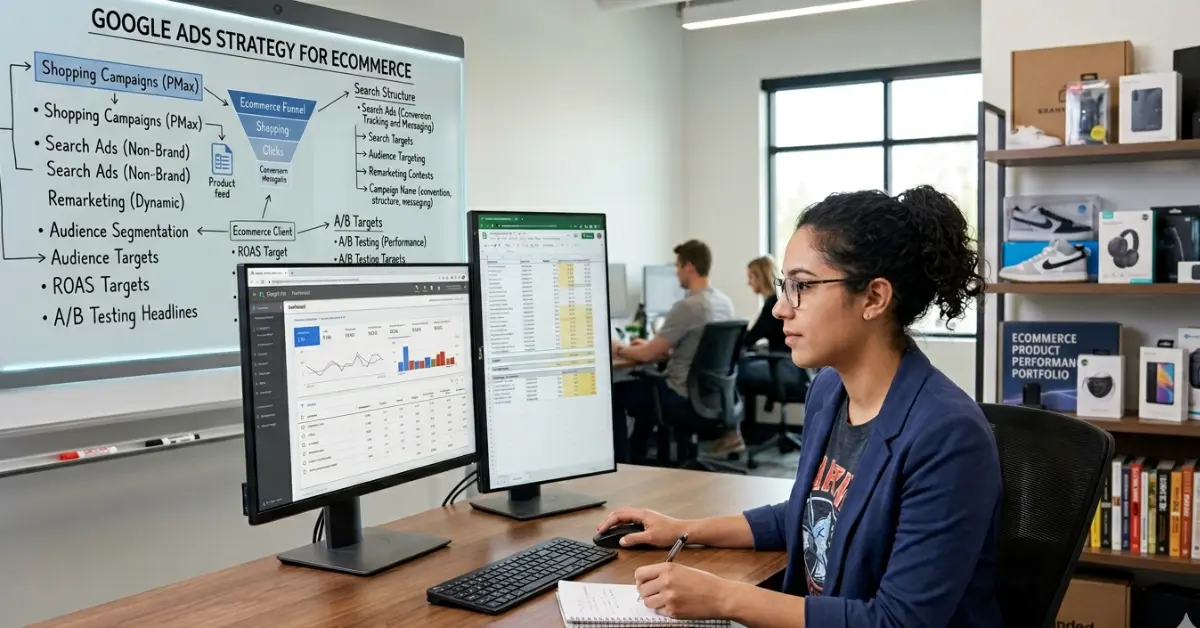
Running an ecommerce store without a clear advertising plan is like opening a shop and forgetting to switch on the lights. People might pass by, but very few will notice.
A strong google ads strategy for ecommerce helps you attract high-intent buyers, control costs, and scale profitably. The difference between struggling stores and successful ones usually comes down to strategy—not budget.
This guide gives you a complete, practical ecommerce google ads strategy backed by real-world logic and structured execution.
But here’s the reality—most ecommerce businesses don’t fail because of poor products. They fail because they run ads without a system. They target broad audiences, ignore data, and expect instant results. Google Ads doesn’t reward guesswork. It rewards relevance, structure, and consistency.
If you’ve ever felt like your ad spend disappears without clear returns, you’re not alone. Many store owners increase budgets hoping to fix performance, only to see costs rise without meaningful growth. The problem usually sits deeper—in campaign setup, product feed quality, or targeting strategy.
In this guide, you’ll learn how to build a sustainable ecommerce advertising strategy using Google Ads. From campaign structure and keyword intent to bidding strategies and real-world optimization, every section focuses on what actually drives results. No shortcuts. No fluff. Just a system you can apply and scale with confidence.
Why Google Ads Works So Well for Ecommerce
Google Ads targets users who are actively searching for products. That’s why it consistently delivers higher conversion rates compared to most other marketing channels.
Unlike social media platforms, where users scroll casually, Google captures demand at the exact moment it exists. When someone searches for a product, they already have a need. Your job is simply to show up with the right offer at the right time.
Businesses often see strong returns because:
- Users already have intent
- Products match search queries directly
- Decisions happen faster
This intent-driven model makes google ads for ecommerce one of the most reliable ways to generate consistent sales.
However, results don’t come automatically. Many advertisers assume that launching a campaign is enough. In reality, performance depends on how well you structure, optimize, and manage your campaigns over time.
Poor targeting, weak product data, or lack of optimization can quickly turn profitable campaigns into expensive experiments. That’s why a clear strategy matters more than budget size.
Understanding Search Intent in Ecommerce PPC Strategy
Not every visitor is ready to buy. A smart ecommerce PPC strategy focuses on identifying and targeting the right intent levels.
If you treat all traffic the same, you’ll waste budget on users who were never planning to convert.
Types of Intent
Transactional (High Intent)
Users search with clear buying intent and often convert quickly.
Example: buy wireless headphones online
Commercial (Mid Intent)
Users compare products, prices, and reviews before making a decision.
Example: best wireless headphones under ₹5000
Informational (Low Intent)
Users are still researching and rarely convert immediately.
Example: how to choose wireless headphones
A strong ecommerce advertising strategy focuses primarily on high and mid-intent traffic while using remarketing to re-engage low-intent users later.
Campaign Structure: The Backbone of Profitable Ads
A clean campaign structure improves performance, tracking accuracy, and scalability. Without it, even good products struggle to generate consistent results.
Many ecommerce stores make the mistake of running everything in a single campaign. This approach limits control and makes optimization difficult.
Ideal Campaign Setup
|
Campaign Type |
Purpose |
Priority Level |
|
Brand Campaign |
Protect brand searches | High |
|
Shopping Ads |
Drive product sales |
Very High |
| Search Campaigns | Capture high-intent keywords |
High |
| Remarketing | Convert returning users |
Very High |
This structure ensures your google ads for ecommerce campaigns remain organized, allowing you to allocate budget effectively and optimize each segment independently.
A well-structured account also helps Google’s algorithm learn faster, which leads to better targeting and improved return on ad spend over time.
Google Shopping Ads Strategy (Core Revenue Driver)
Shopping campaigns drive a large share of ecommerce revenue. For many stores, they become the most consistent source of sales once optimized properly.
Unlike search ads, Shopping ads don’t rely heavily on keywords. Instead, they use your product feed to match user queries. That means Google decides when to show your products based on how well your data aligns with search intent.
They display:
- Product image
- Price
- Store name
- Reviews
This visual format helps users make quick decisions before clicking, which improves traffic quality and conversion rates.
However, this also means your performance depends heavily on how well your product data is structured. A weak feed limits visibility, while a strong one increases reach and relevance.
Product Feed Optimization
|
Element |
Best Practice | Impact Level |
|
Product Title |
Include brand + keywords | High |
|
Description |
Clear and relevant |
Medium |
| Images | High-quality, clean background |
High |
| Pricing | Competitive |
Very High |
| Product Category | Accurate classification |
High |
A strong google shopping ads strategy depends heavily on feed quality. Even small improvements in titles, images, or pricing can significantly impact performance.
For example, adding specific attributes like size, color, or material in product titles helps Google match your products to more relevant searches. This increases visibility without increasing ad spend.
Real-World Example: Shopping Ads Optimization
A home decor ecommerce store struggled with low visibility and poor conversions despite running active Shopping campaigns.
Changes Made
- Improved product titles with detailed attributes
- Replaced low-quality images with clean, high-resolution visuals
- Organized campaigns based on product categories
- Adjusted pricing to stay competitive within the market
Results (45 Days)
|
Metric |
Before Optimization | After Optimization |
|
Click-Through Rate (CTR) |
1.2% |
2.8% |
|
Conversion Rate |
0.9% |
2.1% |
| Cost Per Conversion | ₹850 |
₹420 |
| ROAS | 1.8x |
3.6x |
Insight: Small, focused improvements in feed quality and structure can double performance without increasing budget.
This example highlights a key principle—Shopping campaigns don’t just depend on ad settings. They depend on how clearly your product data communicates value to both users and Google’s algorithm.
Keyword Strategy for Ecommerce Google Ads
Keywords play a critical role in search campaigns. They determine when your ads appear and who sees them. A strong keyword strategy ensures your ads reach users who are most likely to convert.
Many ecommerce advertisers make the mistake of targeting high-volume keywords without considering intent. This often leads to irrelevant traffic and wasted budget.
Instead, your focus should be on:
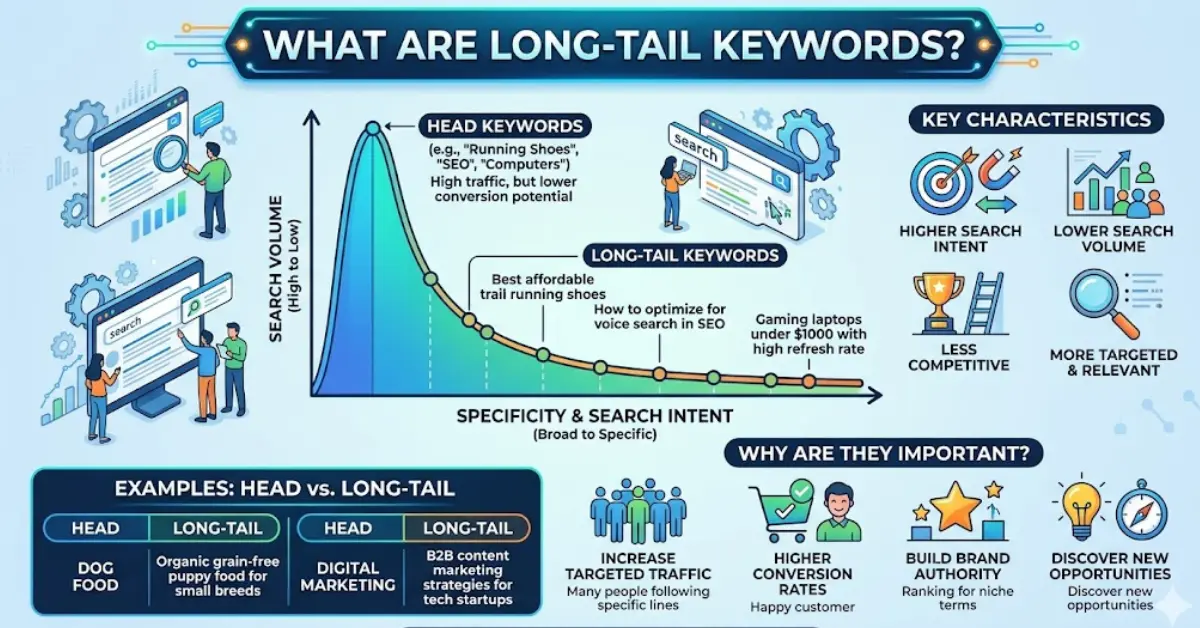
- High-intent keywords
- Buyer-focused phrases
- Clear and specific search intent
For example, a keyword like “buy running shoes online” shows stronger intent than a broad term like “shoes.” The more specific the search, the higher the chances of conversion.
Another important factor is keyword match type. While broad match can increase reach, it often brings irrelevant clicks if not controlled properly. Starting with phrase match and exact match gives you better control over targeting and budget.
A well-planned keyword approach strengthens your overall ecommerce PPC strategy and improves campaign efficiency over time.
Real-World Example: Negative Keywords Impact
A fashion ecommerce store ran search campaigns using broad keywords such as “women dresses.” While traffic increased, conversions remained low, and ad spend kept rising.
Problem
The ads attracted irrelevant searches like:
- “free dress templates”
- “dress design ideas”
- “DIY dress tutorials”
These users had no purchase intent, which led to wasted spend.
Solution
The store added negative keywords to filter out non-buying traffic:
- free
- DIY
- design
This simple adjustment prevented ads from showing for irrelevant queries.
Results (30 Days)
|
Metric |
Before | After |
|
Wasted Spend |
High | Reduced by 40% |
| Conversion Rate | 1.5% |
2.7% |
| Cost Per Acquisition |
₹600 |
₹350 |
Insight: Negative keywords act as a filter for your campaigns. They help you focus only on valuable traffic, which improves performance without increasing budget.
This example highlights an important principle—successful campaigns don’t just attract clicks; they attract the right clicks. Filtering out low-quality traffic is one of the fastest ways to improve any ecommerce PPC strategy.
Smart Bidding Strategy
Automation in Google Ads can improve performance—but only when supported by accurate data. Without enough conversion data, automated bidding strategies struggle to make the right decisions.
Smart bidding uses machine learning to adjust bids in real time based on factors like device, location, time of day, and user behavior. This helps maximize conversions while maintaining efficiency.
However, choosing the right strategy depends on your campaign stage and data availability.
Bidding Strategy Comparison
| Strategy | Best For | When to Use |
| Maximize Conversions | New campaigns | Limited data |
| Target ROAS | Scaling campaigns | 30+ conversions |
| Manual CPC | Testing and control | Advanced users |
Choose the right bidding method based on your data level.
For new campaigns, starting with Maximize Conversions allows Google to gather data quickly. Once your campaigns generate consistent conversions, switching to Target ROAS helps you control profitability and scale efficiently.
Manual CPC still has its place, especially when you want full control during testing phases. However, it requires more time and expertise to manage effectively.
The key is patience. Many advertisers switch bidding strategies too early, which disrupts performance. Let the algorithm learn before making major changes.
Step-by-Step Google Ads Strategy for Ecommerce
A successful campaign doesn’t rely on luck. It runs on a clear, repeatable system built around data, structure, and consistent optimization.
If you want predictable results, follow this proven approach:
1. Set Clear Conversion Goals
Start by defining what success looks like. Focus on purchases first to keep your data clean and actionable. Avoid tracking too many actions in the beginning, as it can dilute insights and slow down optimization. Clear goals help Google understand exactly what outcomes to prioritize.
2. Build Campaign Structure
Organize your campaigns into brand, shopping, search, and remarketing. This structure gives you better control over budget, targeting, and performance tracking. It also makes it easier to identify which campaigns are driving actual revenue.
3. Optimize Product Feed
Your product feed directly impacts Shopping campaign performance. Ensure your titles, images, and pricing are accurate and competitive. Adding relevant attributes like brand, size, and color improves visibility and helps Google match your products with the right searches.
4. Launch with Smart Bidding
Start with a simple strategy like Maximize Conversions to collect data. Once your campaigns generate consistent results, shift to Target ROAS for better profitability. Avoid frequent changes, as stability helps the algorithm perform better.
5. Add Negative Keywords
Filter out irrelevant traffic early to protect your budget. Regularly review search terms and remove queries that don’t match buying intent. This keeps your campaigns focused on high-quality traffic.
6. Track Everything
Set up proper conversion tracking to monitor performance accurately. Track purchases, add-to-cart actions, and checkout behavior to understand how users interact with your store.
Consistency beats guesswork.
A structured approach not only improves performance but also makes your google ads for ecommerce campaigns easier to manage, optimize, and scale with confidence over time.
Ecommerce PPC Campaign Management
Running campaigns is easy. Managing them profitably is where real skill comes in.
Effective ecommerce PPC campaign management focuses on continuous optimization rather than one-time setup. Campaigns need regular monitoring, data analysis, and smart adjustments.
Key areas to focus on:
- Search term optimization – Identify what users actually search and remove irrelevant queries
- Budget allocation – Shift spend toward high-performing products and campaigns
- Device performance – Analyze mobile vs desktop behavior and adjust accordingly
- Geographic targeting – Focus on locations that generate real revenue
Always prioritize what converts—not just what drives traffic.
Conversion Tracking: The Foundation
Conversion tracking is the backbone of any successful campaign. Without it, you’re making decisions blindly.
Track these key actions:
- Purchases
- Add-to-cart events
- Checkout actions
Accurate tracking helps you understand user behavior, measure ROI, and optimize campaigns effectively.
Without proper tracking, scaling becomes nearly impossible because you won’t know what’s working and what’s wasting budget.
Landing Page Optimization
Your ads may bring users in, but your landing page decides whether they convert.
A slow or confusing page can kill performance—even if your ads are perfectly optimized.
Performance Impact Example
|
Factor |
Poor Version | Optimized Version |
|
Load Time |
6 seconds |
2.5 seconds |
|
Bounce Rate |
65% |
38% |
| Conversion Rate | 1.2% |
2.9% |
Faster pages and better user experience lead to significantly higher conversions.
Focus on:
- Clear product visuals
- Simple navigation
- Fast loading speed
- Strong trust signals
Google Ads for Shopify Store
Shopify simplifies the technical setup, but performance still depends on optimization.
Key Steps
- Connect your store to Google Merchant Center
- Sync and maintain your product feed
- Enable automatic updates for pricing and availability
Common Issues
- Missing or incomplete product data
- Low-quality product images
- Incorrect product categorization
A well-optimized google ads for Shopify store setup ensures accurate data flow, which improves campaign performance and scalability.
Real-World Example: Shopify Store Scaling
A fitness ecommerce store faced inconsistent sales despite running ads regularly.
Changes Implemented
- Switched to smart bidding after collecting enough data
- Focused budget on best-selling products
- Improved campaign structure and segmentation
Results (60 Days)
|
Metric |
Before |
After |
|
Daily Revenue |
₹8,000 | ₹18,000 |
|
ROAS |
2.2x |
4.1x |
| Conversion Rate | 1.8% |
3.2% |
Insight: Data-driven decisions and structured optimization lead to consistent growth.
Remarketing Strategy
Most users don’t make a purchase on their first visit. That’s completely normal.
Remarketing allows you to bring those users back and convert them later.
It helps you:
- Re-engage interested visitors
- Increase overall conversion rates
- Improve return on ad spend
Dynamic remarketing works especially well for ecommerce because it shows users the exact products they viewed, making the ads more relevant and personalized.
Budget Allocation Strategy
A balanced budget ensures that your campaigns support both acquisition and conversion.
Example Budget (₹2000/day)
|
Campaign Type |
Budget Allocation |
|
Shopping Ads |
₹900 |
|
Search Ads |
₹500 |
| Remarketing |
₹400 |
| Brand Campaign |
₹200 |
This distribution prioritizes high-performing campaigns while still supporting brand protection and remarketing.
Ecommerce Google Ads Checklist
Before you scale your campaigns, make sure the fundamentals are in place:
- ✔ Conversion tracking is working properly
- ✔ Product feed is fully optimized
- ✔ Campaign structure is clean and organized
- ✔ Negative keywords are added
- ✔ Landing page loads quickly
- ✔ Mobile experience is smooth and user-friendly
Skipping these basics often leads to wasted budget.
Common Mistakes in Ecommerce Advertising Strategy
Many ecommerce campaigns fail due to avoidable mistakes.
Watch out for:
- Ignoring data and making assumptions
- Poor product feed optimization
- Not using negative keywords
- Weak or uncompetitive product offers
Google Ads doesn’t fail randomly—strategy mistakes cause poor results.
Scaling Your Ecommerce Google Ads Strategy
Once you find campaigns that work, scale them carefully.
Smart Scaling Approach
- Increase budget gradually (10–20%)
- Expand keyword targeting based on performance
- Launch new campaigns for top-performing products
- Test new audiences and segments
Avoid sudden changes. Stable growth helps Google’s algorithm maintain performance and improves long-term results.
Final Thoughts
A successful google ads strategy for ecommerce depends on structure, data, and consistent optimization—not guesswork or luck.
Many businesses assume that increasing budget will fix performance issues. In reality, scaling without a proper system only increases losses. Growth comes from clarity, not spending.
You don’t need a bigger budget.
You need a better system.
When your campaigns are structured correctly, your product feed is optimized, your tracking is accurate, and your landing pages are built to convert, everything starts to work together. At that point, Google Ads stops feeling unpredictable.
It becomes measurable.
It becomes scalable.
And most importantly, it becomes profitable.
The brands that succeed with google ads for ecommerce are not the ones spending the most—they are the ones optimizing the smartest.
Frequently Asked Questions
1. What is the best Google Ads strategy for ecommerce?
The best google ads strategy for ecommerce combines Shopping ads, search campaigns, remarketing, and smart bidding. This approach captures high-intent traffic, improves conversions, and allows scalable growth.
2. Are Shopping Ads better than Search Ads?
Shopping ads often convert better because they show product images, prices, and reviews. However, search ads capture high-intent queries. A strong strategy uses both together.
3. How much budget do I need for ecommerce Google Ads?
You can start with ₹500–₹2000 per day for testing. Once you identify profitable campaigns, gradually increase your budget based on performance and return on ad spend.
4. Is Google Ads good for Shopify stores?
Yes. A well-optimized google ads for Shopify store setup works effectively because of easy product feed integration, accurate tracking, and strong automation capabilities.
5. How long does it take to see results from Google Ads?
- 1–2 weeks for initial data collection
- 1–2 months for optimization
- 2–3 months for stable and scalable results
6. What is the role of product feed in Shopping Ads?
The product feed is the foundation of Shopping campaigns. It provides Google with product data like titles, images, pricing, and categories, which directly affects visibility and performance.
7. What are negative keywords and why are they important?
Negative keywords prevent your ads from showing for irrelevant searches. They reduce wasted spend and improve targeting, making your ecommerce PPC strategy more efficient.
8. Which bidding strategy works best for ecommerce?
Maximize Conversions works best for new campaigns, while Target ROAS is ideal for scaling once you have enough conversion data. The right strategy depends on your campaign stage.
9. Why is conversion tracking important in Google Ads?
Conversion tracking helps you measure results, understand user behavior, and optimize campaigns. Without it, you cannot identify what is working or scale profitably.
10. Can I run Google Ads without optimizing my landing page?
You can, but results will suffer. A slow or poorly designed landing page reduces conversions, increases bounce rates, and wastes ad spend. Optimization is essential for success.