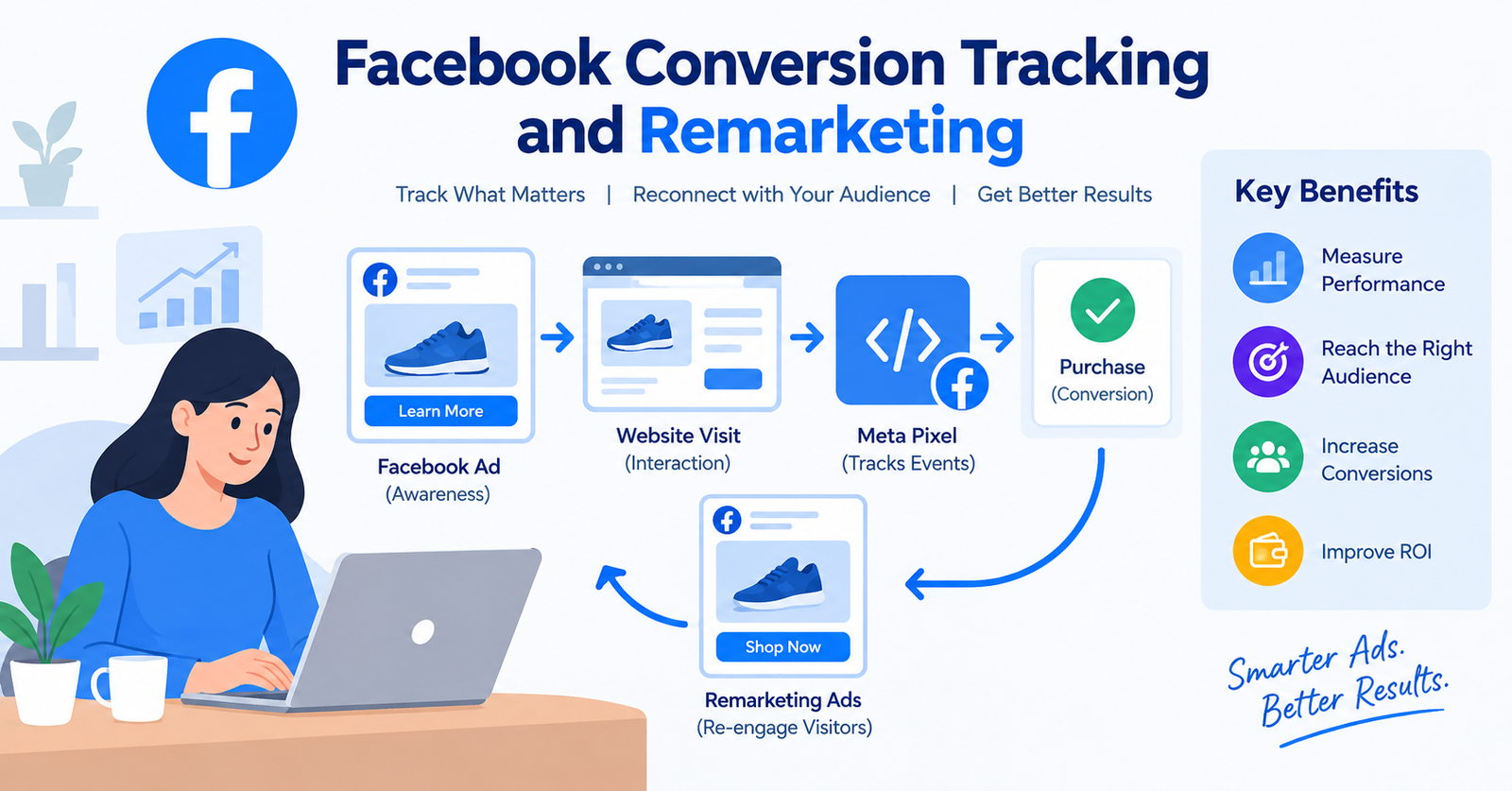
Facebook Conversion Tracking and Remarketing A Beginner’s Guide for 2026
Introduction
Running Facebook ads without knowing what happens after someone clicks your ad is like driving a car without a dashboard. You may be moving, but you don’t know how fast you’re going, where you’re heading, or whether you’re getting the results you want. This is where Facebook Conversion Tracking and Remarketing become important.
Facebook conversion tracking helps businesses understand what people do after interacting with their ads. For example, you can measure actions such as purchases, registrations, form submissions, downloads, or other valuable actions on your website.
Remarketing, on the other hand, helps you reconnect with people who have already interacted with your business. Instead of showing ads only to completely new audiences, you can create campaigns designed to reach previous website visitors, customers, or people who engaged with your content.
When used together, conversion tracking and remarketing can give marketers a clearer picture of advertising performance and help them build more relevant campaigns.
In this guide, we’ll explain Facebook Conversion Tracking and Remarketing in simple terms, including how tracking works, how remarketing audiences are created, common mistakes, and practical examples.
What Is Facebook Conversion Tracking?
Facebook conversion tracking is the process of measuring important actions people take after interacting with your Meta ads. A conversion could be any action that matters to your business.
For example:
- Purchasing a product
- Completing a contact form
- Signing up for a newsletter
- Registering for an event
- Downloading an ebook
- Starting a free trial
- Booking an appointment
- Adding a product to a cart
Instead of looking only at clicks or impressions, conversion tracking helps you understand whether your advertising is contributing to meaningful business results.
Example of Conversion Tracking
Imagine you run an online clothing store.
You spend ₹2,000 on a Facebook advertising campaign.
The campaign generates:
- 20,000 impressions
- 800 link clicks
- 50 product-page visits
- 10 purchases
Without conversion tracking, you might know that people clicked your advertisement, but you may not know how many completed a purchase.
With appropriate tracking, you can analyze the customer journey and determine which campaigns, ads, or audiences are generating conversions.
What Is Facebook Remarketing?
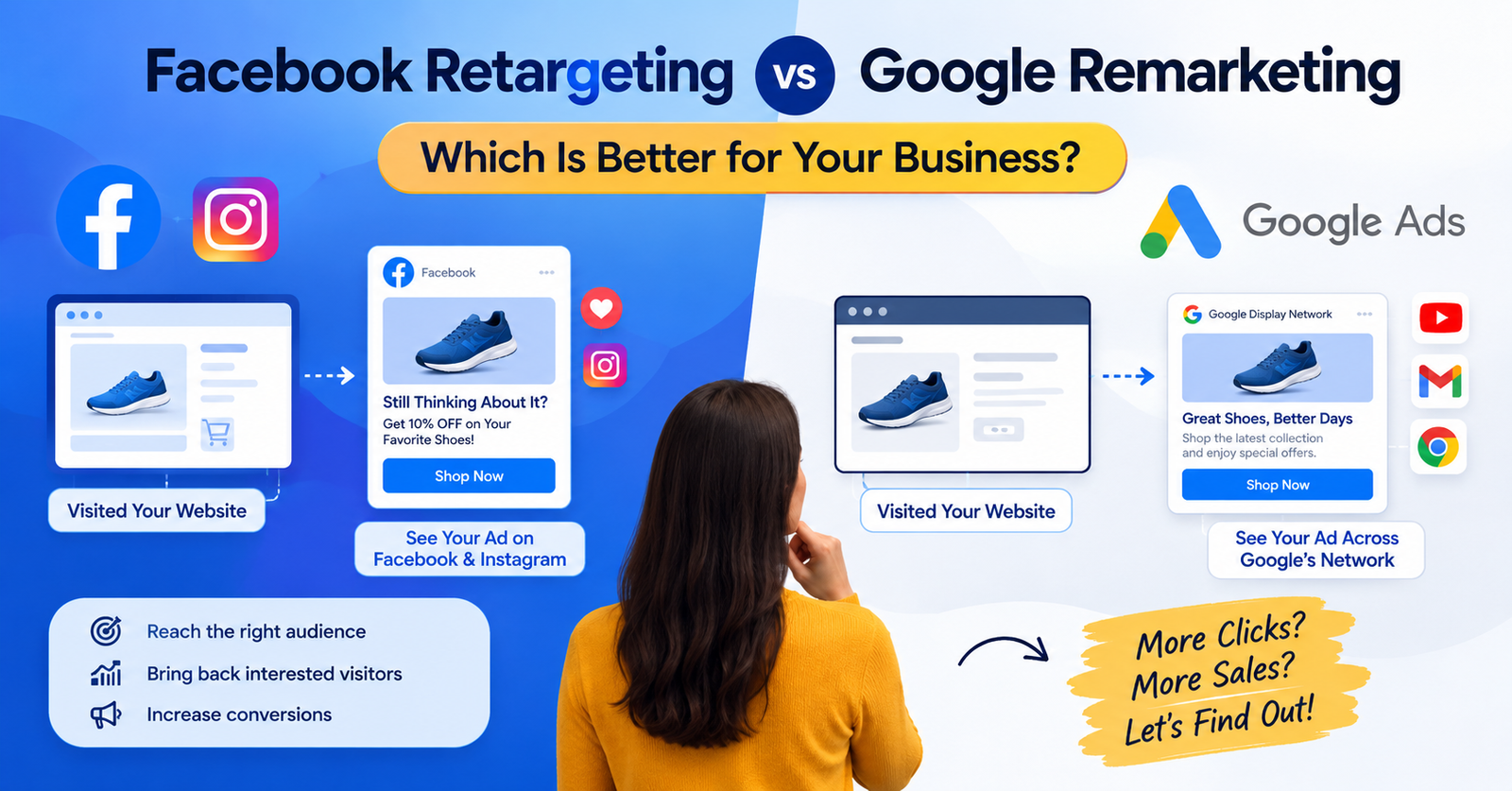
Facebook remarketing, often called Meta retargeting, allows businesses to advertise to people who have already interacted with their business.
These people may have:
- Visited your website
- Viewed a product
- Added an item to their cart
- Engaged with your Facebook or Instagram content
- Watched a video
- Previously purchased from your business
These audiences are different from completely new audiences because they have already demonstrated some level of interest.
Simple Remarketing Example
Suppose someone visits your website and looks at a pair of shoes but doesn’t purchase them.
Later, you can create an eligible remarketing audience and show that person an advertisement related to the product or your brand.
The goal isn’t simply to show the same advertisement repeatedly. Instead, marketers can create relevant follow-up messages based on the person’s previous interaction.
Why Facebook Conversion Tracking and Remarketing Matter
Using Facebook Conversion Tracking and Remarketing together can help marketers understand both sides of the advertising journey.
Conversion tracking answers questions such as:
- How many people purchased?
- Which campaign generated conversions?
- Which ads generated valuable actions?
- How much did each conversion cost?
- Which audience produced results?
Remarketing helps answer another question: How can I reconnect with people who already showed interest? Together, these techniques can support a more structured advertising strategy.
Benefits Include
- Better measurement of advertising performance
- More useful campaign data
- Improved audience segmentation
- Opportunities to reconnect with previous visitors
- Better understanding of customer journeys
- More informed budget decisions
- Ability to test different messages
What Is the Meta Pixel?
The Meta Pixel is a piece of code that businesses can install on their websites to help measure website activity associated with Meta advertising.
Depending on the implementation and applicable privacy requirements, website events can provide information about actions people take on a website.
Common events include:
- PageView
- ViewContent
- AddToCart
- InitiateCheckout
- Purchase
- Lead
- CompleteRegistration
For example, an ecommerce website might use: ViewContent → AddToCart → InitiateCheckout → Purchase
This sequence can help marketers understand where users are taking actions in the purchasing process.
How Facebook Conversion Tracking Works
The basic process can be understood in five steps.
1: A Person Sees Your Advertisement
A potential customer sees your Facebook or Instagram advertisement.
They may click the advertisement and visit your website.
2: The Person Interacts With Your Website
The visitor might:
- View a product
- Submit a form
- Add an item to their cart
- Start checkout
- Make a purchase
3: Website Events Are Recorded
Your tracking setup can send relevant event information to Meta, subject to your implementation and privacy settings.
4: Meta Connects the Data With Campaign Activity
The advertising platform can use available event data to help advertisers understand campaign performance and optimize campaigns.
5: You Analyze the Results
You can review available campaign and conversion data to determine what is working and what needs improvement.
How to Set Up Facebook Conversion Tracking
The exact setup depends on your website platform and technical configuration, but the general process looks like this.
1. Create or Access Your Meta Business Assets
You’ll need the appropriate Meta business and advertising setup.
Make sure your business has access to the relevant:
- Business portfolio
- Ad account
- Dataset or pixel
- Website
- Advertising account
2. Create Your Pixel or Dataset
Use Meta’s current Events Manager tools to create or access the tracking asset associated with your website.
3. Install the Tracking Code
The tracking implementation can vary depending on your website.
For example, businesses may use:
- Direct website code
- Google Tag Manager
- Website platform integrations
- Partner integrations
- Developer implementation
4. Configure Events
Identify the actions that are valuable to your business.
For an ecommerce store, these might include:
- ViewContent
- AddToCart
- InitiateCheckout
- Purchase
For a service business, useful events might include:
- PageView
- Lead
- Contact
- CompleteRegistration
5. Test Your Events
Before relying on conversion data, test your implementation to make sure the expected events are being received correctly.
Incorrect tracking can result in inaccurate reporting.
Common Facebook Conversion Events
Different businesses need different conversion events.
Purchase
Useful for ecommerce businesses that want to measure completed transactions.
Lead
Useful for businesses that collect customer enquiries or contact information.
AddToCart
Shows when someone adds a product to their shopping cart.
InitiateCheckout
Shows when someone begins the checkout process.
ViewContent
Can help identify people who viewed important website content or products.
CompleteRegistration
Useful when users complete an account registration or similar process.
The important point is to select events that represent meaningful customer actions rather than tracking everything without a purpose.
What Is Facebook Remarketing?
Facebook remarketing focuses on reconnecting with people who have already interacted with your business.
A remarketing audience can potentially include people based on eligible interactions such as:
- Website activity
- Customer lists
- Facebook engagement
- Instagram engagement
- Video engagement
- App activity
The available options depend on Meta’s current advertising tools, account setup, privacy requirements, and audience eligibility.
How to Create a Facebook Remarketing Strategy
A simple remarketing strategy can be divided into several steps.
1: Identify Your Audience
Decide who you want to reach.
For example:
- Website visitors from the last 30 days
- Product viewers
- Cart abandoners
- Previous customers
- Instagram engagers
2: Segment the Audience
Don’t necessarily treat every visitor the same.
For example:
Audience A: Viewed a product
Audience B: Added product to cart
Audience C: Purchased
Each group has a different relationship with your business.
3: Create Relevant Ads
Your message should match the audience.
For someone who viewed a product, you might highlight:
- Product benefits
- Reviews
- Features
- Frequently asked questions
For someone who abandoned checkout, you might focus on:
- Simplifying the purchase process
- Product information
- Customer support
- A relevant offer, where appropriate
4: Set an Appropriate Retention Period
Your audience duration should make sense for your sales cycle.
For example:
- 7 days
- 14 days
- 30 days
- 60 days
- 180 days
A business selling inexpensive products may have a much shorter decision cycle than a company selling expensive services.
5: Monitor Results
Track available metrics and compare campaigns over time.
Facebook Remarketing Audience Examples
Here are several practical examples.
1: Website Visitors
Create an audience based on eligible website visitors.
This can help you reconnect with people who visited your website but didn’t complete the desired action.
2: Product Viewers
Target people who viewed a particular product.
Your advertisement can highlight that product or related products.
3: Cart Abandoners
People who added a product to their cart but didn’t complete their purchase may be an important audience for ecommerce businesses.
4: Previous Customers
Existing customers can potentially be used for campaigns promoting:
- Related products
- New products
- Accessories
- Repeat purchases
However, customer targeting should respect applicable privacy requirements and Meta’s policies.
Facebook Conversion Tracking vs Facebook Remarketing
Although these concepts are closely related, they serve different purposes.
| Feature | Conversion Tracking | Remarketing |
|---|---|---|
| Main purpose | Measure actions | Reconnect with audiences |
| Primary focus | Performance measurement | Audience targeting |
| Example | Track purchases | Reach previous visitors |
| Useful for | Reporting and optimization | Follow-up advertising |
| Common tools | Pixel/events | Custom audiences |
In simple terms: Conversion tracking tells you what happened.
Remarketing helps you reach people based on previous interactions.
Facebook Pixel vs Remarketing
The Meta Pixel and remarketing are not exactly the same thing.
The Pixel is a tracking technology that can help collect website event information.
Remarketing is an advertising strategy that uses eligible audience signals to reconnect with people who previously interacted with your business.
For example: Website visit → Event recorded → Audience created → Remarketing campaign This is one way the two concepts can work together.
Facebook Conversion Tracking and Remarketing for Small Businesses
Small businesses don’t necessarily need complicated campaigns to start.
A simple setup could focus on one primary conversion.
For example, a local service business might track:
Website visit → Contact form submission → Lead
An ecommerce business might track:
Product visit → Add to cart → Purchase
Once the tracking is working, the business can build audiences around relevant interactions.
Example
Imagine a local digital marketing agency.
Its website receives 1,000 visitors in a month.
Some visitors read blog posts, some visit the services page, and a smaller number submit enquiry forms.
The agency could analyze conversion activity and create appropriate remarketing audiences based on eligible interactions.
This provides a structured way to reconnect with potential customers instead of advertising to everyone with the same message.
Common Facebook Conversion Tracking Mistakes
Tracking problems can make advertising reports difficult to interpret.
1. Not Testing the Tracking Setup
Always test important events before relying on the data.
2. Tracking Too Many Unimportant Actions
More events don’t automatically mean better measurement.
Focus on meaningful business actions.
3. Incorrect Event Configuration
If an event is configured incorrectly, reported conversions may not accurately represent actual customer actions.
4. Ignoring Privacy Requirements
Website tracking must be implemented responsibly and according to applicable privacy laws, consent requirements, and platform policies.
5. Not Using Consistent Naming
A clear tracking structure makes analysis easier.
6. Focusing Only on Clicks
Clicks are useful, but they don’t necessarily represent business results.
A campaign with many clicks may produce fewer valuable actions than another campaign with fewer clicks.
Common Facebook Remarketing Mistakes
Remarketing also requires careful planning.
Showing Ads Too Frequently
Repeated exposure can create a poor user experience.
Using the Same Message for Everyone
A product viewer and a previous customer may need completely different messages.
Not Excluding Converted Users
If someone already completed a purchase, continuing to show them the same acquisition advertisement may waste budget.
Creating Extremely Small Audiences
Very small audiences may limit campaign delivery.
Ignoring Audience Intent
Someone who viewed a product once may have a different level of interest from someone who added that product to their cart.
How to Improve Facebook Conversion Tracking and Remarketing
Here are practical ways to build a better system.
1. Start With One Important Conversion
Don’t make your setup unnecessarily complicated.
Choose the business action that matters most.
2. Build a Simple Funnel
For example: Ad → Landing Page → Product → Checkout → Purchase
Then identify where users are dropping off.
3. Create Relevant Audiences
Segment visitors according to their interactions whenever appropriate.
4. Test Different Messages
Try different:
- Headlines
- Images
- Videos
- Calls to action
- Offers
- Landing pages
5. Review Your Data Regularly
Look at available metrics and compare results over time.
6. Keep Tracking Updated
Websites, advertising platforms, privacy settings, and tracking technologies change. Review your implementation periodically.
Metrics to Monitor
When working with Facebook Conversion Tracking and Remarketing, several metrics can be useful.
Conversion Rate
Shows the percentage of visitors who complete a desired action.
Cost Per Conversion
Helps you understand how much advertising spend is associated with each conversion.
Return on Ad Spend
For campaigns where revenue can be measured, ROAS can help compare advertising revenue with advertising spend.
Click-Through Rate
Shows how frequently people click after seeing an advertisement.
Cost Per Click
Shows the average cost associated with clicks.
Frequency
Helps you understand how often people in an audience are being exposed to your ads.
Don’t evaluate a campaign using one metric alone. Consider the business goal and the full customer journey.
Facebook Conversion Tracking and Remarketing Example
Let’s consider a simple ecommerce example.
A company sells fitness products online.
1: Awareness
A Facebook advertisement introduces a new fitness product.
2: Website Visit
A potential customer clicks the ad and visits the product page.
3: Product Interaction
The visitor views the product and adds it to their cart.
4: No Purchase
The customer leaves the website without completing checkout.
5: Remarketing
The business can use eligible remarketing audiences to reconnect with that visitor.
6: Conversion
The customer returns and completes the purchase.
7: Measurement
Conversion tracking helps the advertiser analyze the completed purchase and associated campaign performance.
This illustrates how Facebook Conversion Tracking and Remarketing can work together throughout the customer journey.
Frequently Asked Questions
What is Facebook Conversion Tracking?
Facebook conversion tracking is the process of measuring valuable actions associated with Meta advertising, such as purchases, leads, registrations, or other configured events.
What is Facebook remarketing?
Facebook remarketing is a strategy for reaching people who have previously interacted with a business through eligible audience signals.
Is Facebook Pixel still important?
Website tracking technology and Meta’s tools continue to evolve. Businesses should use Meta’s current tracking options and follow its implementation guidance.
What is the difference between retargeting and remarketing?
The terms are often used interchangeably in digital marketing. Both generally refer to advertising strategies designed to reconnect with people who have previously interacted with a business.
Can small businesses use Facebook remarketing?
Yes. Small businesses can build remarketing strategies around relevant website, customer, and platform engagement audiences where available and permitted.
Does conversion tracking increase sales automatically?
No. Tracking itself does not guarantee more sales. Its primary purpose is measurement and providing data that can support campaign optimization.
How long should a remarketing audience last?
There is no universal duration. The appropriate period depends on the product, sales cycle, audience behavior, and campaign objective.
Final Thoughts
Facebook Conversion Tracking and Remarketing are two important components of a structured digital advertising strategy.
Conversion tracking helps you understand what people do after interacting with your advertisements. Remarketing helps you reconnect with people who have already shown interest in your business.
A simple approach is to:
- Identify your most important conversion.
- Implement and test tracking correctly.
- Create relevant audience segments.
- Build remarketing campaigns around those audiences.
- Monitor conversions and costs.
- Test different creative and messaging.
- Review your strategy regularly.
Don’t focus only on getting more clicks. Focus on understanding what happens after the click.
If you’re new to Meta advertising, start with a simple conversion goal, verify your tracking, and gradually build your remarketing strategy as you collect useful data.