
Technical SEO: The Complete Guide to Higher Rankings in 2025
Introduction
Imagine building a stunning website with amazing content, beautiful design, and all the right keywords—yet, it still doesn’t appear on the first page of Google. Frustrating, right? The problem might not be your content but your technical SEO.
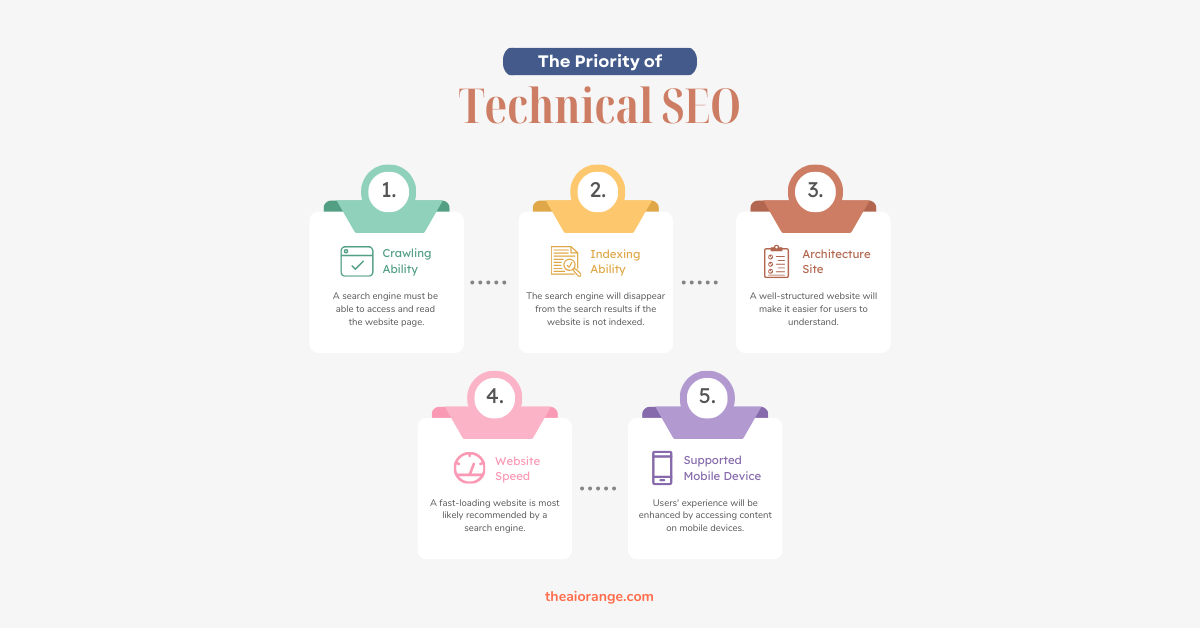
Technical SEO is the backbone of your website. It ensures that search engines can crawl, index, and understand your site efficiently. Without it, your best efforts in content and link-building might never pay off.
In this comprehensive guide, we’ll break down technical SEO in beginner-friendly language. Whether you’re a business owner, marketer, or SEO enthusiast, this article will help you understand and implement the strategies that give your site the strong technical foundation it needs to rank higher.
What Is Technical SEO?
Technical SEO refers to the process of optimizing the backend and infrastructure of your website to make it easier for search engines like Google to crawl, index, and rank your pages.
Think of your website as a car:
-
Content is the fuel,
-
Backlinks are the wheels,
-
Technical SEO is the engine.
Without a powerful engine, your car won’t move—no matter how good the fuel or wheels are.
Key Objectives of Technical SEO
-
Improve crawlability (help search engines discover pages)
-
Enhance indexability (get pages into Google’s index)
-
Boost site performance (speed, security, mobile-friendliness)
-
Reduce technical errors (broken links, duplicate content, etc.)
-
Provide a better user experience (UX)
Why Is Technical SEO Important?
Many beginners overlook technical SEO because it works behind the scenes. But it’s absolutely essential.
Here’s why:
-
Search Engine Visibility – Without technical optimization, your site may not appear in search results at all.
-
Higher Rankings – Google prioritizes websites that load fast, are secure, and mobile-friendly.
-
User Experience – Visitors stay longer and engage more with technically optimized websites.
-
Competitive Edge – Many websites ignore technical SEO, giving you a chance to outrank them.
-
Supports Content SEO – Even the best content fails without proper crawling and indexing.
The Technical SEO Checklist for 2025
Now let’s dive into the most important technical SEO factors you should optimize.
1. Website Speed Optimization
Google has confirmed that page speed is a ranking factor. A slow website not only hurts SEO but also frustrates visitors.
Tips to improve site speed:
-
Use a fast hosting provider
-
Compress images (use WebP or AVIF formats)
-
Minify CSS, JavaScript, and HTML
-
Enable GZIP compression
-
Use a Content Delivery Network (CDN)
-
Implement lazy loading for images and videos
Tools: Pingdom, GTMetrix, and Google PageSpeed Insights
2. Mobile-First Indexing
Since Google now prioritizes the mobile version of websites, mobile optimization is no longer optional.
Best practices for mobile SEO:
-
Use a responsive design that adapts to all devices
-
Avoid intrusive interstitials (pop-ups that block content)
-
Ensure text is readable without zooming
-
Optimize navigation menus for smaller screens
Use Google’s Mobile-Friendly Test tool to test.
3. Secure Your Site with HTTPS
Security is critical for both SEO and user trust. Google rewards websites that use HTTPS.
Steps to secure your site:
-
Install an SSL certificate
-
Redirect all HTTP traffic to HTTPS
-
Update internal links and resources (images, scripts) to load securely
4. XML Sitemap Optimization
An XML sitemap is like a roadmap for search engines. It helps them understand which pages to index.
Best practices:
-
Include only important and indexable pages
-
Keep the sitemap updated automatically
-
Submit it in Google Search Console
-
Place it at
yourdomain.com/sitemap.xml
5. Robots.txt Optimization
The robots.txt file tells search engine bots which pages they should or shouldn’t crawl.
Tips for robots.txt:
-
Block non-essential pages (admin areas, duplicate content)
-
Ensure you don’t accidentally block important pages
-
Test robots.txt in Google Search Console
6. Fix Crawl Errors
If Google can’t crawl your website properly, your rankings will suffer.
Common crawl errors:
-
404 errors (page not found)
-
5xx server errors
-
Redirect loops
-
Blocked resources
To find mistakes, use the Coverage Report in Google Search Console.
7. Canonical Tags and Duplicate Content
Duplicate content confuses search engines, which can harm your rankings.
How to fix it:
-
Use canonical tags to tell search engines the preferred version of a page
-
Implement 301 redirects for duplicate URLs
-
Ensure consistency (choose either www or non-www, and HTTPS over HTTP)
8. Structured Data and Schema Markup
Structured data helps search engines understand your content better and display rich snippets (stars, FAQs, products, etc.) in results.
Examples of schema types:
-
Article schema
-
Product schema
-
Review schema
-
FAQ schema
-
Event schema
Use Google’s Rich Results Test to confirm schema markup.
9. Core Web Vitals
Google uses Core Web Vitals as ranking signals. These metrics measure real-world user experience.
-
LCP (Largest Contentful Paint): Measures loading performance (ideal < 2.5s)
-
FID (First Input Delay): Measures interactivity (ideal < 100ms)
-
CLS (Cumulative Layout Shift): Measures visual stability (ideal < 0.1)
How to improve Core Web Vitals:
-
Optimize images and videos
-
Use a faster hosting provider
-
Reduce JavaScript execution
-
Implement font-display: swap for web fonts
10. Internal Linking Structure
Internal links guide both users and search engines through your site.
Best practices:
-
Use descriptive anchor text (not “click here”)
-
Link related content together
-
Avoid orphan pages (pages with no internal links)
-
Keep navigation simple and logical
11. Broken Links and Redirects
Broken links frustrate users and waste crawl budget.
Fixes:
-
Regularly check for broken links (404 errors)
-
Set up 301 redirects for removed or updated content
-
Avoid redirect chains (multiple redirects in a row)
12. Technical SEO Tools You Should Use
Here are some must-have tools to improve technical SEO:
-
Google Search Console – Crawl stats, indexing, errors
-
Screaming Frog SEO Spider – In-depth technical audits
-
Ahrefs / SEMrush – Backlink analysis + technical issues
-
GTMetrix / Pingdom – Speed and performance testing
-
RankMath / Yoast SEO – On-page optimization
Common Technical SEO Mistakes to Avoid
-
Accidentally blocking pages with robots.txt
-
Using duplicate meta tags and titles
-
Having multiple versions of the same page indexed
-
Forgetting to redirect old URLs
-
Ignoring site speed and Core Web Vitals
-
Not using HTTPS
How to Perform a Technical SEO Audit
A technical SEO audit helps you find and fix issues regularly. Here’s a simple step-by-step process:
-
Crawl your website using Screaming Frog or Sitebulb
-
Check crawl errors in Google Search Console
-
Test mobile-friendliness with Google’s tool
-
Analyze page speed with PageSpeed Insights
-
Review robots.txt and sitemap for accuracy
-
Check for duplicate content with canonical tags
-
Validate structured data with Google’s Rich Results Test
-
Fix broken links and redirect properly
Future of Technical SEO in 2025 and Beyond
As search engines evolve, technical SEO continues to grow in importance. Future trends include:
-
AI-driven SEO audits and automation
-
Voice search optimization
-
IndexNow protocol for faster indexing
-
More advanced Core Web Vitals metrics
Keeping abreast of new Google updates and changing best practices is essential to staying ahead of the curve in technical SEO.
Conclusion: Build Your SEO Success on a Strong Foundation
Technical SEO may not be as glamorous as writing viral content or building backlinks, but it’s the backbone of your online success. By focusing on speed, mobile-friendliness, security, crawlability, structured data, and Core Web Vitals, you set your website up for higher rankings and better user experiences.
Start small: audit your site, fix errors, and gradually implement improvements. Over time, your technical SEO efforts will translate into better visibility, more traffic, and stronger authority.
Your action plan:
-
Run a technical SEO audit today
-
Fix at least 3 issues on your website
-
Monitor improvements in Google Search Console
The sooner you take action, the faster you’ll see results. Don’t let technical issues hold your website back—make technical SEO your competitive advantage!
Technical SEO Frequently Asked Questions (FAQ)
1. What is Technical SEO?
Technical SEO refers to the process of optimizing a website’s infrastructure so search engines can crawl, index, and rank it effectively. It includes site speed, mobile optimization, security (HTTPS), structured data, and fixing crawl errors.
2. Why is Technical SEO important?
Without proper technical SEO, search engines may struggle to understand or index your content. This means your site won’t rank well—even if you have great content and backlinks.
3. What are the main elements of Technical SEO?
Key elements include:
-
Website speed optimization
-
Mobile-first design
-
HTTPS security
-
XML sitemap and robots.txt
-
Fixing crawl errors and broken links
-
Canonical tags and duplicate content fixes
-
Structured data and schema markup
-
Core Web Vitals optimization
4. How do I check my website’s Technical SEO?
You can use tools like Google Search Console, Screaming Frog SEO Spider, Ahrefs, SEMrush, or GTMetrix to audit your site for technical SEO issues.
5. What are Core Web Vitals in Technical SEO?
Core Web Vitals are Google’s user experience metrics:
-
LCP (Largest Contentful Paint): loading speed
-
FID (First Input Delay): interactivity
-
CLS (Cumulative Layout Shift): visual stability
6. How often should I perform a Technical SEO audit?
It’s recommended to perform a technical SEO audit every 3–6 months or after major website changes to ensure your site remains optimized.
7. Can I do Technical SEO myself, or do I need an expert?
If you’re a beginner, you can start with basic optimizations like speed, mobile-friendliness, and fixing broken links. For complex issues (schema, crawl budget, JavaScript SEO), hiring an expert is often more effective.
8. Does Technical SEO improve rankings directly?
Yes. Technical SEO helps search engines crawl and index your site properly, which directly impacts rankings. It also improves user experience, which Google considers when ranking websites.






THANKS FOR WRITING THIS HELPFULL INFORMATION
Best Article
Thanks for sharing. I read many of your blog posts, cool, your blog is very good. https://www.binance.info/register?ref=IXBIAFVY
Your point of view caught my eye and was very interesting. Thanks. I have a question for you. https://www.binance.com/register?ref=IXBIAFVY
Thank you for your sharing. I am worried that I lack creative ideas. It is your article that makes me full of hope. Thank you. But, I have a question, can you help me?
Your article helped me a lot, is there any more related content? Thanks!
Thanks for sharing. I read many of your blog posts, cool, your blog is very good.
Your article helped me a lot, is there any more related content? Thanks!
Thanks for sharing. I read many of your blog posts, cool, your blog is very good.
Your article helped me a lot, is there any more related content? Thanks!
I don’t think the title of your article matches the content lol. Just kidding, mainly because I had some doubts after reading the article.
Your point of view caught my eye and was very interesting. Thanks. I have a question for you. https://accounts.binance.com/en-ZA/register-person?ref=B4EPR6J0
Your point of view caught my eye and was very interesting. Thanks. I have a question for you. https://accounts.binance.com/fr-AF/register?ref=JHQQKNKN